Lead your remote team

Know where
the day goes.

A full-time team needs clear expectations and a clear view of the work. Make time tracking a normal part of how you operate.

Know the working hours

Set a clear full-time schedule and use tracking to see recorded working time. Discuss gaps using a shared record of the working day.

Your working dayIllustration
The workweekSee the working day.
Project workWorking time recorded
Review & collaborationPart of the working day
Full-time hours. A shared expectation.
Working time, activity, and progress. One regular conversation.

From owners who use it

Visibility matters.
Owners say it too.

A software-company co-founder and a web-development business owner describe their experience with time tracking.

We are happy to work with Hubstaff because it enables us to have a team that can out-compete our competition.
Amit KothariCo-founder, TallyfyHubstaff customer story
Before using Time Doctor, I had very little oversight of my employees’ time allocation.
Nik CreeFounder, Positive Business OnlineTime Doctor customer story
“All that being said, the time tracking piece is critical for us.”
u/coalition_techPublic discussion on r/agency

Named quotes are from vendor-published customer stories. The public comment is attributed to its Reddit account.

The Arca.ph difference

Find the fit.
Before the first day.

Arca.ph helps you hire full-time remote software engineers. Your AI agent searches and sorts the network—including whether candidates are comfortable with time tracking.

Your agent. Your requirements.

Make the preference
part of the search.

Grok, Claude, ChatGPT, or another agent can filter for engineers who are comfortable using time-tracking software if a client requires it.

Agree on the specific tool and settings before the offer. You hire and pay the engineer directly.

Find full-time engineers who are comfortable with time tracking.
Illustrative engineer profileSoftware engineer
ReactTypeScriptNode.js
Time-tracking preference Comfortable if required
Preference match

Illustrative profiles. Your AI agent searches the network.

Arca.ph helps you find the fit. Arca.ph does not run, sell, or integrate a time tracker.

The tools your team might use

See what you’re
asking people to use.

Choose a tool that gives you the working-time and activity reports your team needs. Agree on how you will use it before the engineer starts.

A separate tool for your team

Hubstaff

Time tracking and keyboard and mouse activity on every plan.

$4.99/seat/month
billed annually · Starter

$7 month to month. Two-seat minimum.

Check Hubstaff pricing
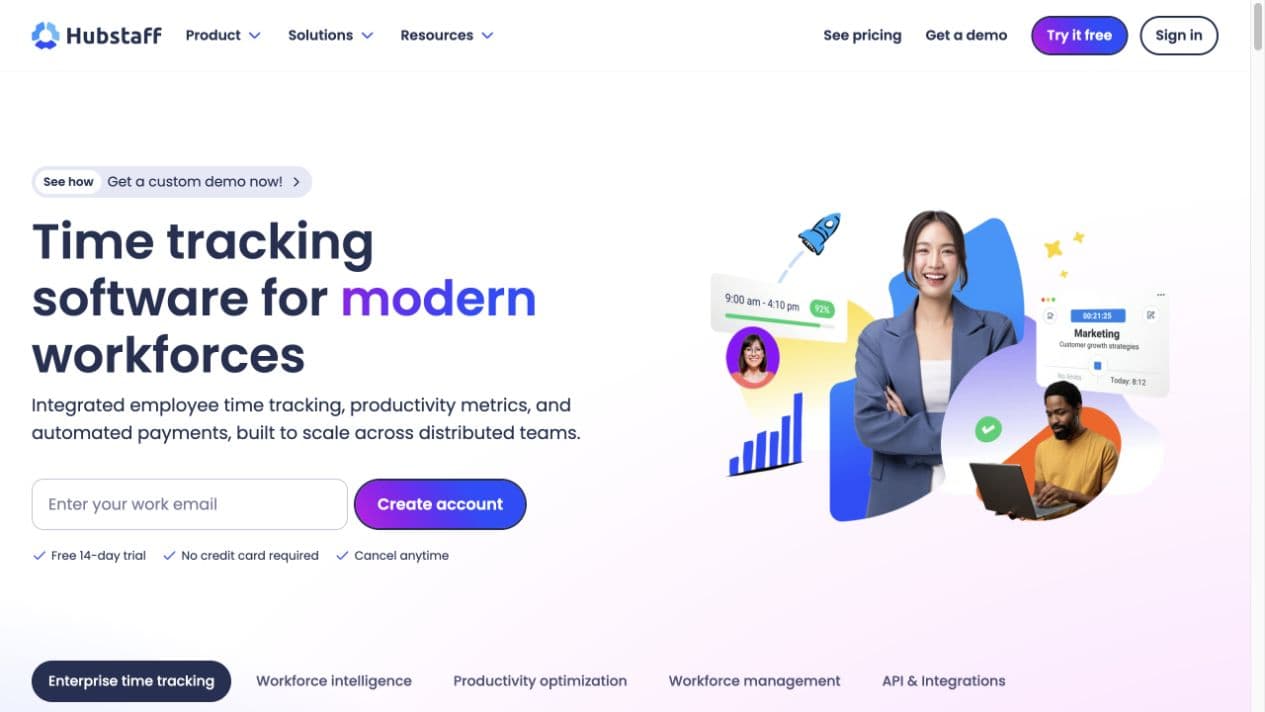
Hubstaff · website preview
Hubstaff website showing its time-tracking product interface
Screenshot from Hubstaff’s website. Shown as a tool example.
Compare plans, hours, and reporting

Starting prices per person per month, billed annually. Rechecked 28 October 2026. Features and add-ons vary by plan.

Hubstaff, Insightful, and Time Doctor pricing and features
What to checkHubstaffInsightfulTime Doctor
Starting price$4.99/seat/month, billed annuallyStarter$7 month to month. Two-seat minimum.$8/seat/month, billed annuallyWorkforce AnalyticsMonthly billing available on select plans; ask for a quote.$6.67/user/month, billed annuallyBasic$8 month to month. Prices may vary by billing location.
Working time & activityTime tracking and keyboard and mouse activity on every plan.Automatic clock-in/out, an activity timeline, and active and idle time listed on its pricing page.Automatic tracking and projects and tasks on Basic. Activity summary on Standard ($11.67/user/month, billed annually; $14 month to month).
Activity & screenshotsKeyboard and mouse activity. Starter includes 500 screenshots per seat per month; Grow includes 1,500.App and website usage, active and idle time, and screenshots. Screen recording is a $4/seat/month add-on.Screenshots on Basic. Activity summary and web and app usage on Standard.
Team visibilityTeam ($10/seat/month, billed annually) adds scheduling and attendance.Workforce Analytics lists a real-time overview, capacity analysis, and app and website usage.Standard adds web and app usage reporting. Check which reports your team needs.

Hubstaff

$4.99/seat/month, billed annually

Starter. $7 month to month. Two-seat minimum.

Working time & activity
Time tracking and keyboard and mouse activity on every plan.
Activity & screenshots
Keyboard and mouse activity. Starter includes 500 screenshots per seat per month; Grow includes 1,500.
Team visibility
Team ($10/seat/month, billed annually) adds scheduling and attendance.

Insightful

$8/seat/month, billed annually

Workforce Analytics. Monthly billing available on select plans; ask for a quote.

Working time & activity
Automatic clock-in/out, an activity timeline, and active and idle time listed on its pricing page.
Activity & screenshots
App and website usage, active and idle time, and screenshots. Screen recording is a $4/seat/month add-on.
Team visibility
Workforce Analytics lists a real-time overview, capacity analysis, and app and website usage.

Time Doctor

$6.67/user/month, billed annually

Basic. $8 month to month. Prices may vary by billing location.

Working time & activity
Automatic tracking and projects and tasks on Basic. Activity summary on Standard ($11.67/user/month, billed annually; $14 month to month).
Activity & screenshots
Screenshots on Basic. Activity summary and web and app usage on Standard.
Team visibility
Standard adds web and app usage reporting. Check which reports your team needs.

These are separate tools you can choose with the engineer. Confirm current pricing, plan limits, and your required workflow with the vendor.


Before you decide

Make tracking
part of the job.

Full-time work. Clear expectations.
A team you can stay close to.

Should every full-time remote engineering team track time?

Yes. For full-time remote engineering teams, we recommend time tracking as a standard part of the job. It gives the business a shared record of working time and useful context for managing the team. Set the policy before the offer and review the record alongside the work delivered.

How does time tracking fit a full-time role?

Agree on working hours, the tool, what it records, and who can see the reports. The engineer uses the tool during working hours. Review the record in regular check-ins to discuss priorities, progress, and blockers.

Can my AI agent find engineers who accept time tracking?

Yes. Candidates state whether they are comfortable using time-tracking software if a client requires it. Your AI agent, such as Grok, Claude, or ChatGPT, can sort and filter the Arca.ph network by that answer. Discuss your specific tool and settings before the offer.

Does Arca.ph provide a time tracker?

No. Arca.ph does not run, sell, or integrate a time tracker. Arca.ph helps you find full-time remote software engineers. You choose the tool, and you hire and pay the engineer directly.

Comfortable with time tracking

Good work starts
with a good fit.

Your AI agent can find full-time engineers who are comfortable with how your team works.

Get startedProfiles are free to view.