 By Jake Parks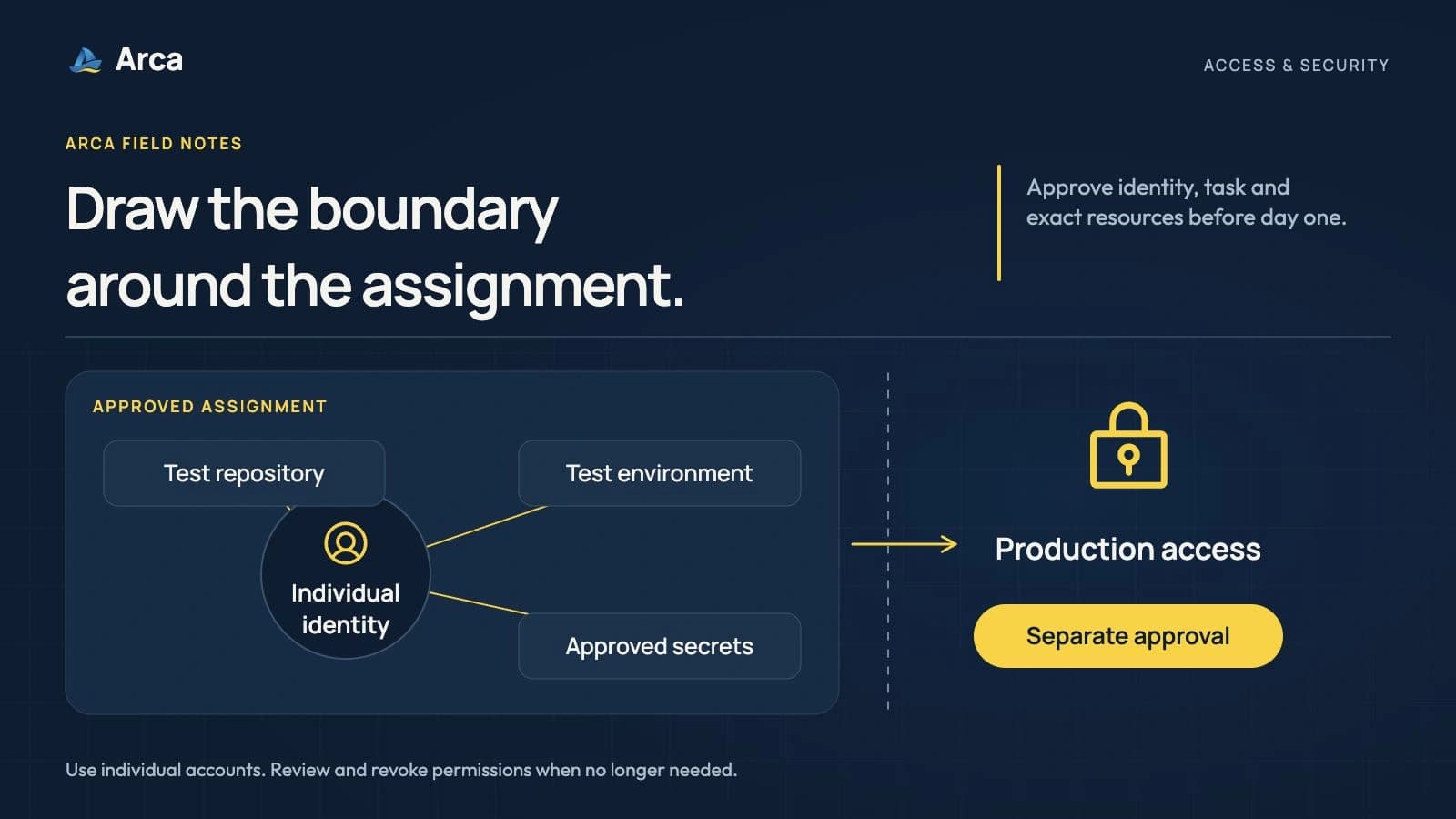
Before an offshore developer starts, map the systems their first assignment needs, approve an identifiable account for each, and verify both the permitted actions and the boundaries. Record who can change or remove that access. A repository invitation alone does not cover cloud permissions, customer data, secrets or deployment authority.
The same questions apply to a developer in your office or in the Philippines. NIST's Zero Trust Architecture guidance rejects implicit trust based solely on physical or network location. Location still affects your operating and legal context, but it cannot substitute for decisions about identity, devices and permissions.
This article offers a practical access worksheet for a US engineering team adding a Philippine developer. It is a proposed preparation method, not a description of Arca's security controls or a compliance certification.
Start with the assignment, not the administrator role
Consider a fictional subscription-software team onboarding a full-stack developer to improve an account-activity page. The first task uses an existing component, synthetic test records and the normal review pipeline.
That assignment may need a company account, access to the application repository, a development environment and the relevant design discussion. It does not automatically need permission to change cloud billing, download the customer database or administer every repository.
Ask the technical lead to describe the first task in concrete actions: read this code, push a branch, run these tests and request this review. The access owner can then match permissions to that work. If a later task needs more authority, evaluate the new requirement and record the change.
This approach also helps distinguish a blocked setup from a deliberate boundary. An engineer unable to see a production database might be correctly restricted. An engineer unable to read the test fixture needed for the agreed task may need a permission corrected.
Build an access matrix people can maintain
Use a short record in an approved internal system. Keep actual credentials elsewhere. For every row, record the named account, exact resources, permitted actions, approver, activation time, review date and removal owner.
| Resource | Example starting boundary | Evidence the owner should check |
|---|---|---|
| Identity and communication | Individual account and relevant team channels | Correct person can sign in using approved authentication and recovery arrangements |
| Source repository | Access appropriate to the assigned code and contribution workflow | Engineer can perform the approved task; organization settings and unrelated repositories remain outside the grant |
| Development or test environment | Agreed nonproduction environment with synthetic data | Setup works without a production credential or customer-data export |
| Build and deployment systems | Only the pipeline actions needed for the role | Release approvals and privileged configuration remain with named authorized people |
| Secrets and integrations | Scoped credentials for approved services and environments | Secret retrieval, use, expiry or revocation follow the approved mechanism |
| Logs and support information | Necessary views with sensitive fields protected | Engineer can diagnose the permitted issue without unnecessary exposure |
| Device and local copies | Agreed device controls and data-storage rules | Responsible owner verifies the required configuration and handling rules |
These examples require translation into your actual platforms. A role called “developer” can confer different powers across services. On GitHub, for example, the organization repository-role documentation distinguishes read, triage, write, maintain and admin capabilities. Inspect the real permission set, inherited access and workflow rules instead of choosing a reassuring label.
Repository contribution rights can affect automation too. Examine whether a person can change a workflow that uses a privileged credential. Separating a secret from the developer's direct view does not by itself settle what code they can cause to run with it.
Separate the person, the device and the secret
An account establishes who is signing in. Authentication does not establish every action that account should perform. Apply the organization's approved sign-in, multifactor authentication and recovery requirements, and verify the device and access conditions required for the work.
Confirm who supplies and manages equipment before the start. If personal devices are permitted, make the actual conditions explicit: supported software, updates, encryption, screen locking, approved storage and what happens if the device is lost. The appropriate security owner should determine those requirements. Do not assume a recruiting partner manages the endpoint unless the engagement says so.
For credentials, use the existing approved mechanism and grant access only where the assignment needs it. OWASP's Secrets Management Cheat Sheet covers limited access, auditing and the creation, rotation, revocation and expiration of secrets. Use that lifecycle perspective when recording how a development credential will be supplied and removed.
Do not put passwords or API keys into an onboarding worksheet, ordinary chat or repository. Document where an authorized person obtains the credential, its purpose and its owner. If a secret is exposed, follow the incident process; deleting the visible message does not revoke the credential.
Verify a useful task and a meaningful restriction
Before day one, the access owner should check the intended configuration. Once the engineer has their own account, guide them through a safe task in the approved environment. Do not sign in as the engineer or ask them to disclose a password to demonstrate access.
In the fictional account-page assignment, the developer opens the relevant repository, runs the test application with synthetic records and submits a small branch for review. The reviewer checks the proposed change. The access owner separately confirms that production access and unrelated administration have not been granted.
Keep these checks within authorized test procedures. Do not probe customer systems or attempt privileged operations merely to test a boundary. Administrative permission inspection or a controlled test account may provide the appropriate evidence.
The distinction between environments should be intentional. NIST SSDF version 1.1, particularly PO.2 and PO.5, addresses development responsibilities and protected development environments. It is a useful reference for assigning owners and separating environments; completing this worksheet does not establish conformity with the entire framework.
Record the outcome: which approved task worked, which configuration was inspected, any missing permission and the person resolving it. Have the documentation owner update the setup instructions after a confirmed correction. “Access done” is less useful than a record someone can verify again.
Review tools that act through the engineer's account
Include AI coding tools, browser extensions and integrations in the access discussion. Explain which tools may read company code or data, where information can be sent and whether the tool can execute commands or change systems.
A tool attached to an account creates another path by which that account's authority can be exercised. Have the responsible owner review permissions and approval boundaries before connecting it. A convenient demonstration is not authorization to expose customer data or let an agent deploy to production.
Keep this proportionate to the assignment. An ordinary account-page task should not trigger a new enterprise platform project. Use approved tools and documented restrictions, then resolve a specific missing control before enabling the risky action.
Plan permission removal before granting it
The access matrix should work when the role changes or the engagement ends. Assign someone to disable relevant identities, remove memberships, revoke applicable sessions and tokens, review integrations and deal with local copies according to policy and agreed obligations.
Check credentials outside the main identity system. GitHub's repository-role documentation specifically warns that possession of a deploy key's private key can retain repository access after someone is removed from the organization. Treat keys and service accounts as separate entries rather than assuming one account deletion closes every route.
When rotating or revoking a credential, consider the services that depend on it and verify the result without exposing the replacement. Preserve required logs and handover records. Determine timing and any incident response with the responsible owners; this is not an instruction to disrupt a live service during an ordinary offboarding.
Make security responsibilities part of the Arca conversation
Arca helps teams hire Philippine software engineers against the actual role and working requirements. Your engineer joins your tools and workflow, so bring the first assignment, technical support and access constraints into the discussion.
Ask who handles equipment, security preparation, incident communication and changes in the engagement, and get the specific responsibilities confirmed. Do not infer a contract, certification or production-support promise from the word “offshore.” Your appropriate advisers should resolve any confidentiality, ownership and cross-border data requirements for the work.
Use our offshore developer interview guide to examine how a candidate reasons about relevant engineering decisions. Then discuss the role with Arca, including what the engineer should be able to do and who authorizes that work.
Frequently asked questions
Should a new offshore developer receive production access immediately?
Only when the actual role requires it and the appropriate owners have approved the access and controls. A first task using synthetic data in development may need no production access. Reassess permissions when the assignment changes instead of granting broad authority by default.
Does an NDA replace technical access controls?
No. Confidentiality and ownership terms address different questions from what an account or device can do. Resolve the agreement with the appropriate advisers, while separately configuring, verifying and maintaining permissions and approved data handling.
Can we share an existing employee's login to speed up onboarding?
Use an identifiable individual account or an approved delegated-access mechanism appropriate to the service. Sharing someone's ordinary login obscures accountability and makes removal harder. Keep credentials out of the onboarding worksheet and follow your organization's access process.
Does removing an identity-provider account remove every credential?
Do not assume it does. Check service-specific tokens, deploy keys, integrations, local copies and any systems outside the main sign-in arrangement. Record those access routes and the responsible removal owner before work starts.
Will Arca manage our security permissions and devices?
Confirm the actual responsibilities for your engagement. Arca matches Philippine engineers to your role and working needs; the article does not promise device management, a particular security certification or administration of your production systems. Bring those requirements into the hiring discussion.